Notice: Function _load_textdomain_just_in_time was called incorrectly. Translation loading for the us domain was triggered too early. This is usually an indicator for some code in the plugin or theme running too early. Translations should be loaded at the init action or later. Please see Debugging in WordPress for more information. (This message was added in version 6.7.0.) in /home/sagacious/public_html/wp-includes/functions.php on line 6260

Warning: Cannot modify header information - headers already sent by (output started at /home/sagacious/public_html/wp-includes/functions.php:6260) in /home/sagacious/public_html/wp-includes/feed-rss2.php on line 8
Microsoft Dynamics AX – Sagacious Systems https://sagacious.systems Custom Software Development Fri, 12 Feb 2016 11:01:22 +0000 en-US hourly 1 https://wordpress.org/?v=7.1.4 How to schedule interview of an applicant, follow the steps https://sagacious.systems/how-to-schedule-interview-of-an-applicant-follow-the-steps/ https://sagacious.systems/how-to-schedule-interview-of-an-applicant-follow-the-steps/#respond Fri, 12 Feb 2016 11:01:22 +0000 http://knowledgeengineers.ca/?p=4494 Step 1

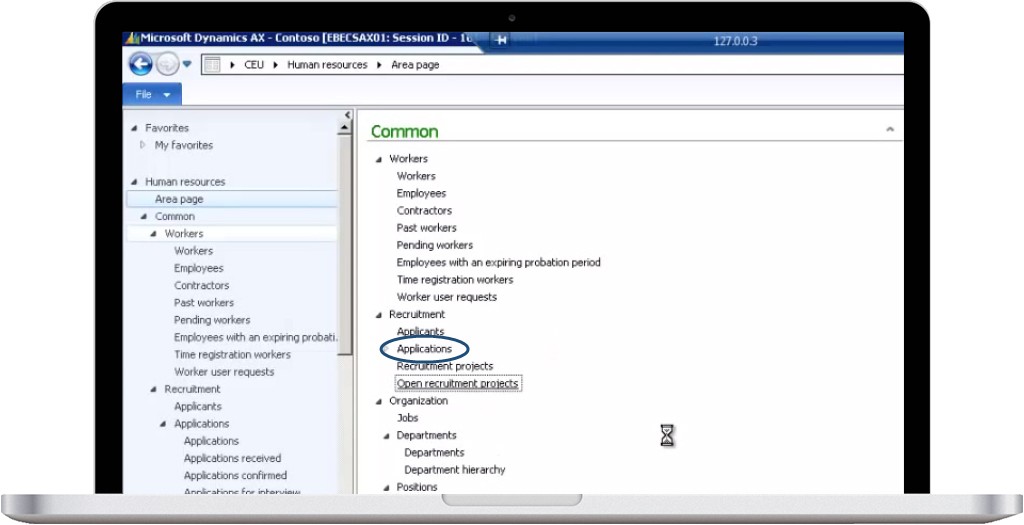
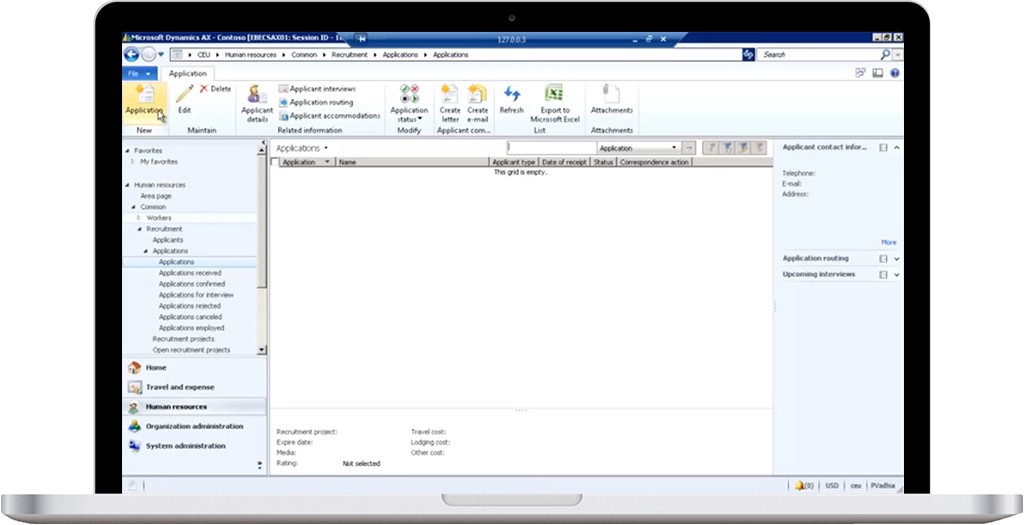
Open an Ax client. Select Human Resources module. Click on Applications and again Application from the sub-menu.

Schedule-interview-of-applicant-ScreenShot-1

Step 2

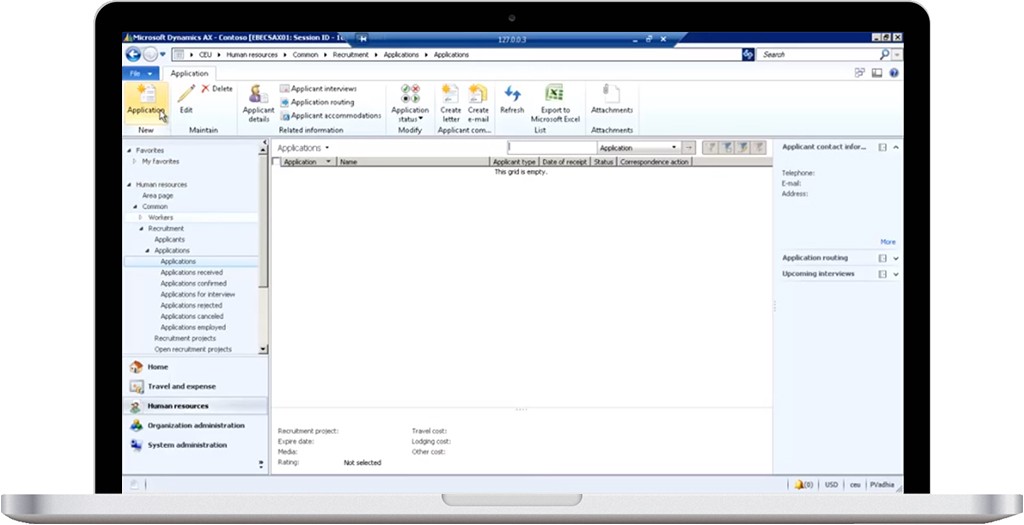
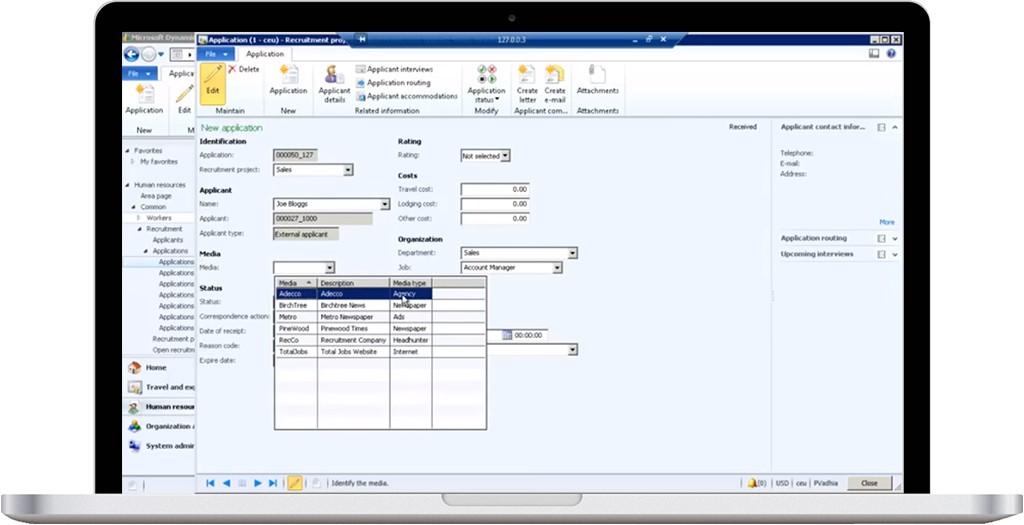
Click on the New Application button.

Schedule-interview-of-applicant-ScreenShot-2

Step 3

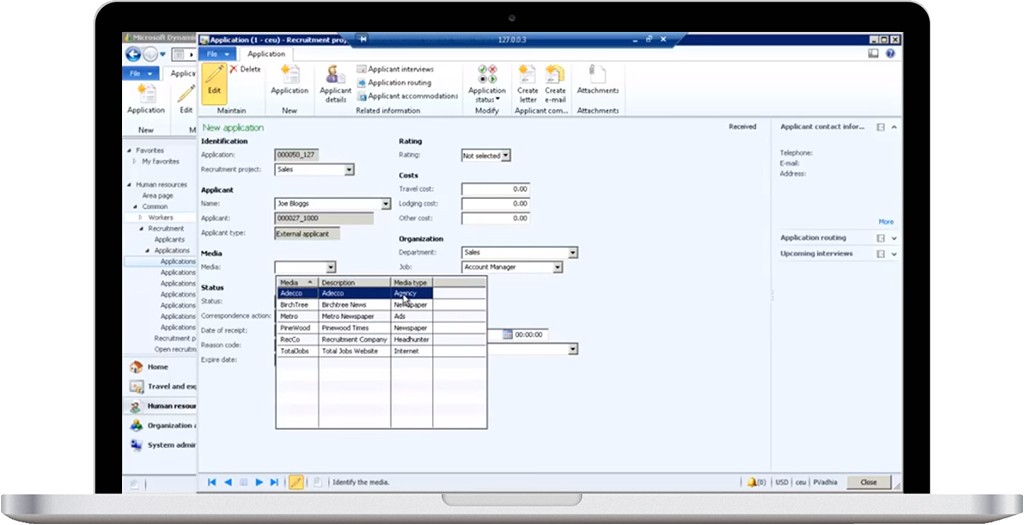
Fill in the required information in the form.

Schedule-interview-of-applicant-ScreenShot-3

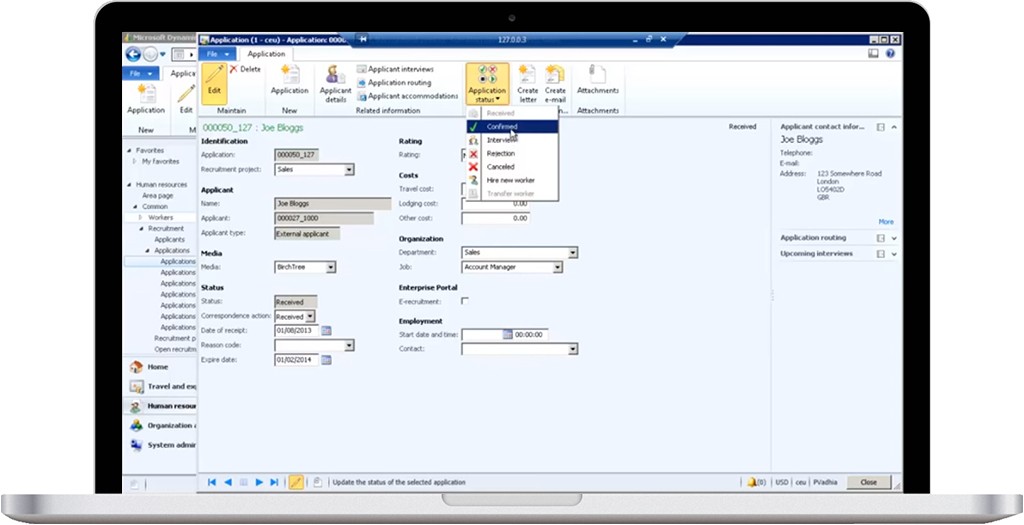
Step 4

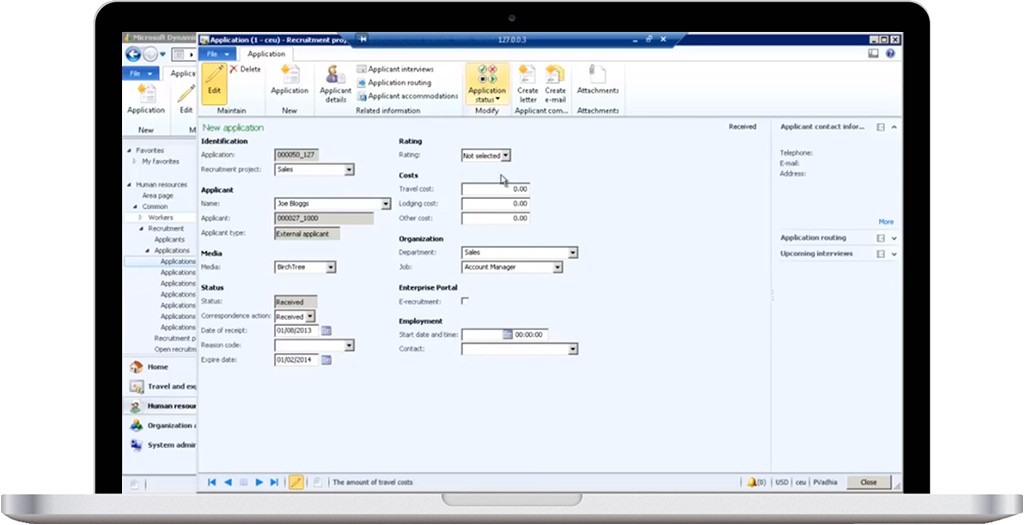
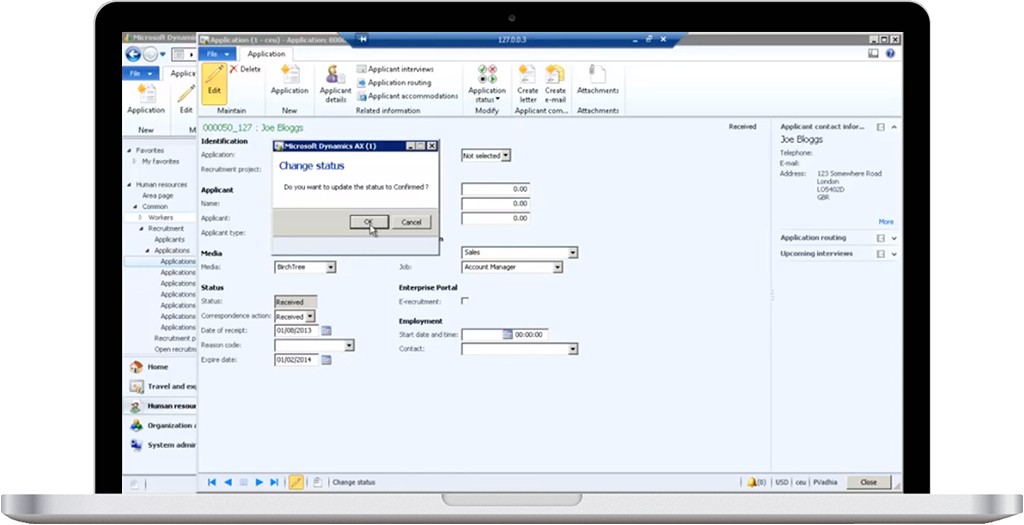
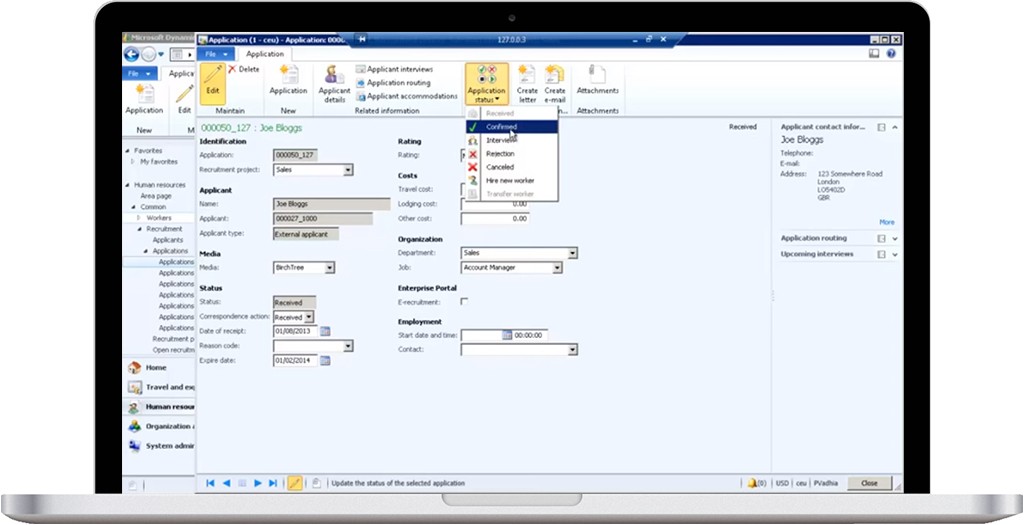
Confirm the application by clicking on the Application status in the action bar.

Schedule-interview-of-applicant-ScreenShot-4

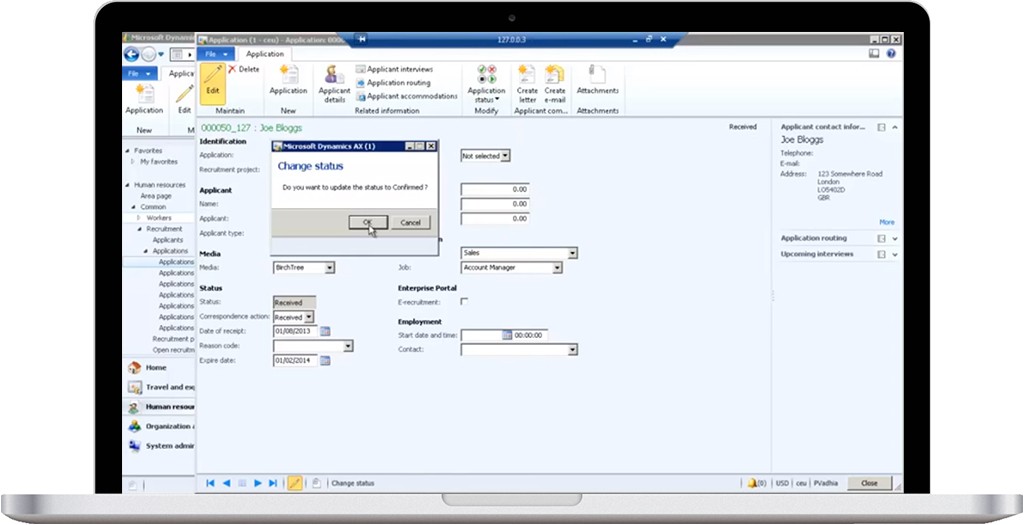
Schedule-interview-of-applicant-ScreenShot-5

Step 5

Click Ok.

Schedule-interview-of-applicant-ScreenShot-6

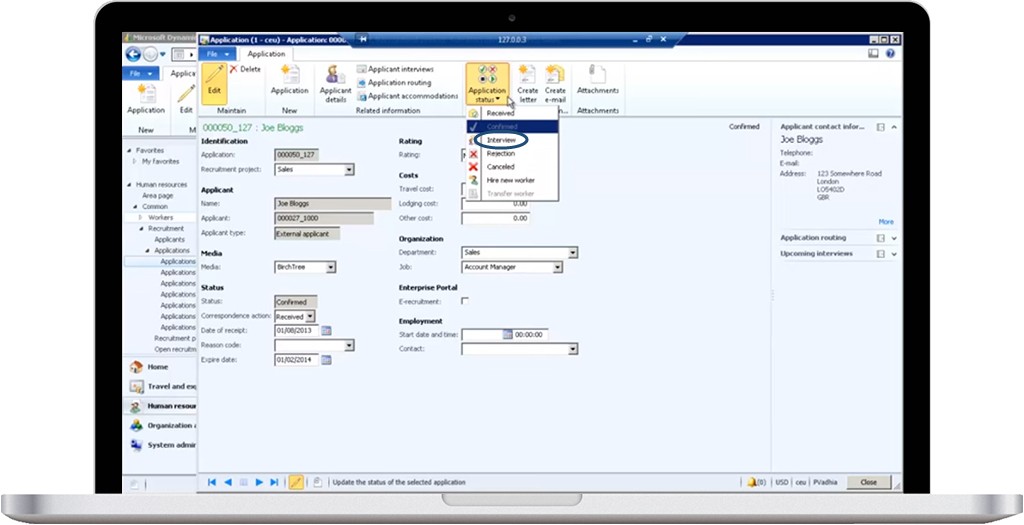
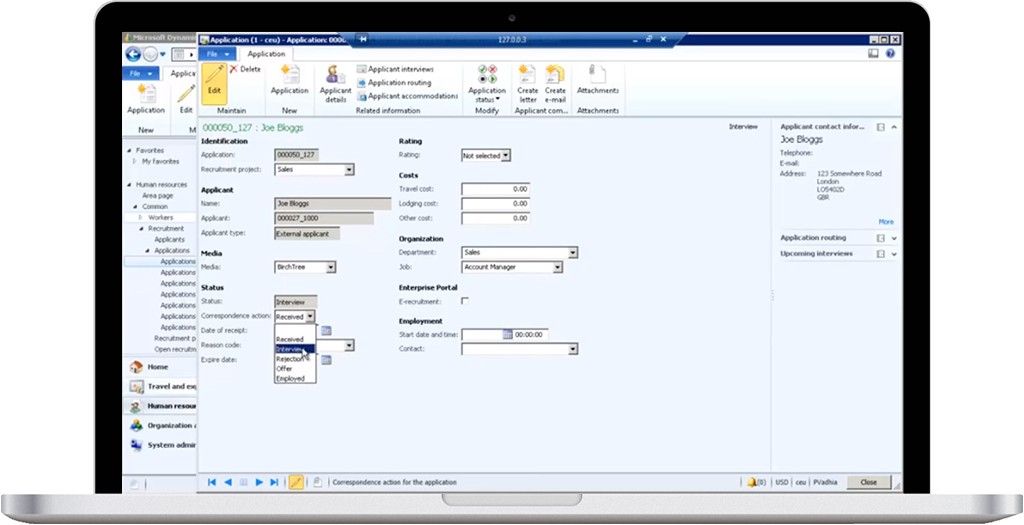
Step 6

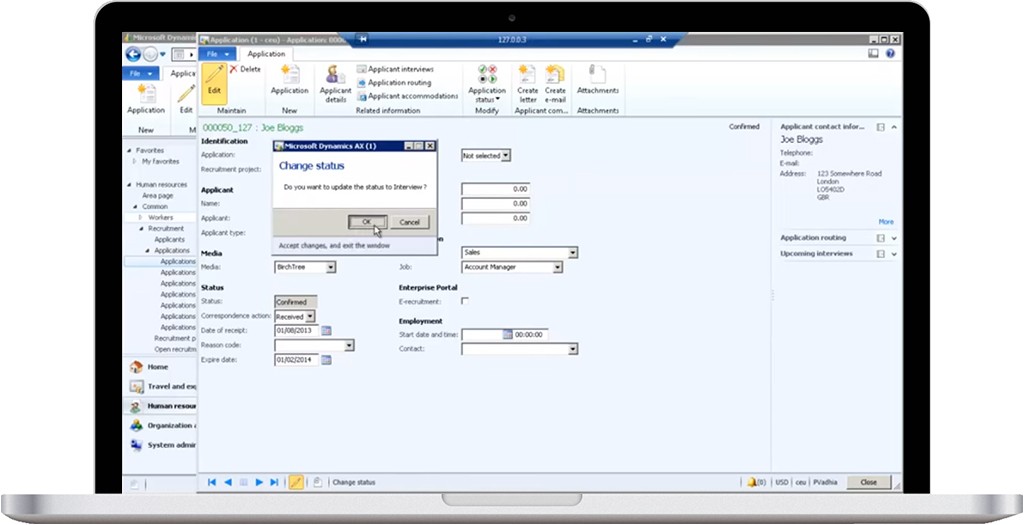
Again click Application status and select interview.

Schedule-interview-of-applicant-ScreenShot-7

Schedule-interview-of-applicant-ScreenShot-8

Schedule-interview-of-applicant-ScreenShot-9

]]>
https://sagacious.systems/how-to-schedule-interview-of-an-applicant-follow-the-steps/feed/ 0
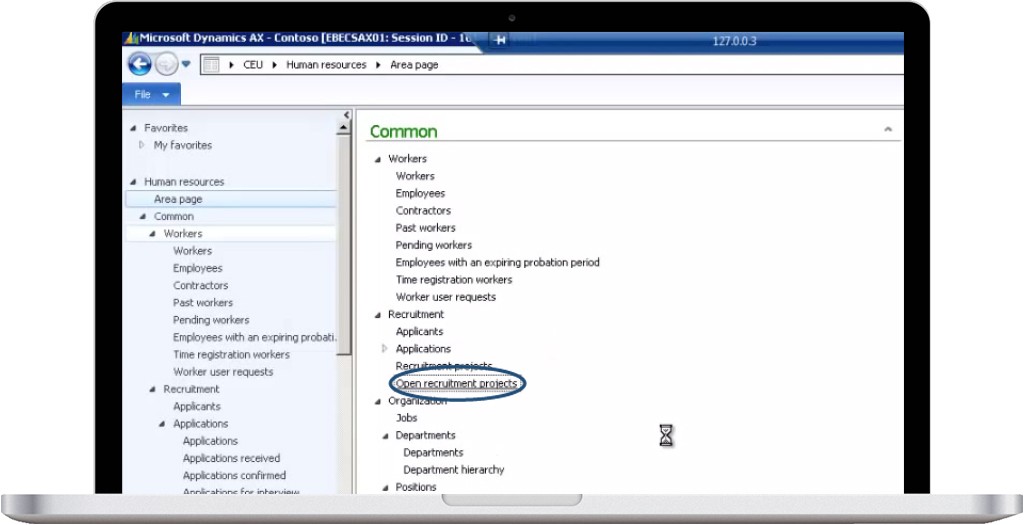
How to create a job ad for a recruitment project, follow the steps https://sagacious.systems/how-to-create-a-job-ad-for-a-recruitment-project-follow-the-steps/ https://sagacious.systems/how-to-create-a-job-ad-for-a-recruitment-project-follow-the-steps/#respond Fri, 12 Feb 2016 08:25:44 +0000 http://knowledgeengineers.ca/?p=4484 Step 1

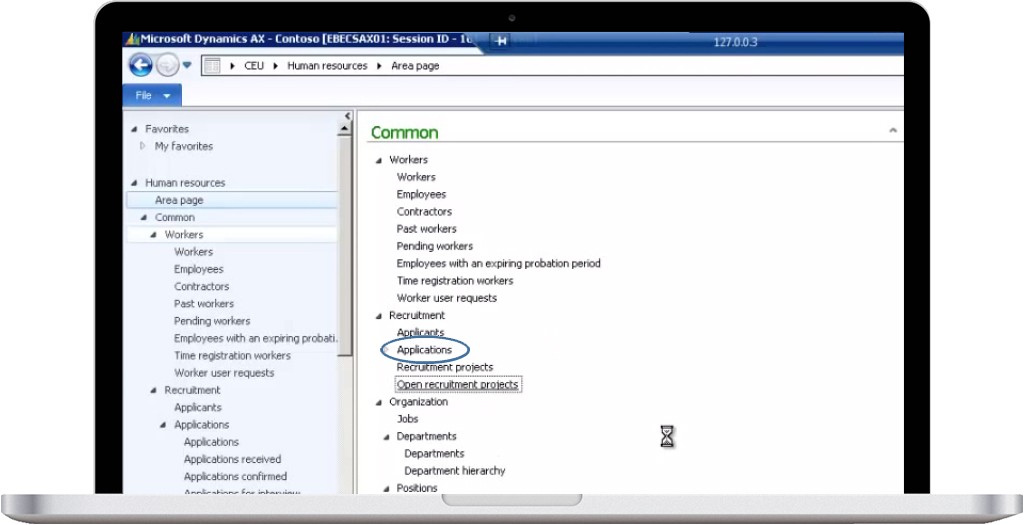
Open an Ax client. Select Human Resources module. Click on open recruitment project.

create-a-job-ad-for-recruitment-peoject-ScreenShot-1

Step 2

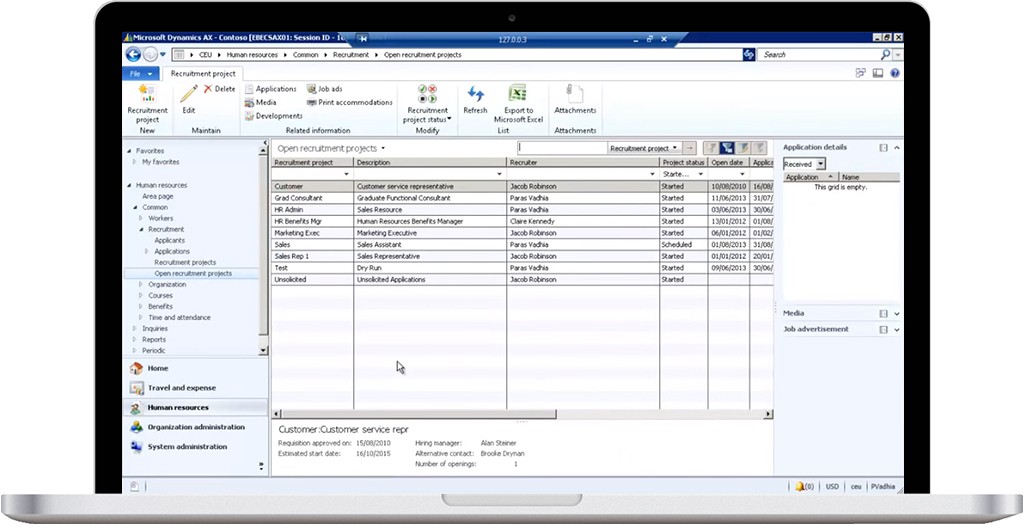
The following screen will appear.

create-a-job-ad-for-recruitment-peoject-ScreenShot-2


Step 3

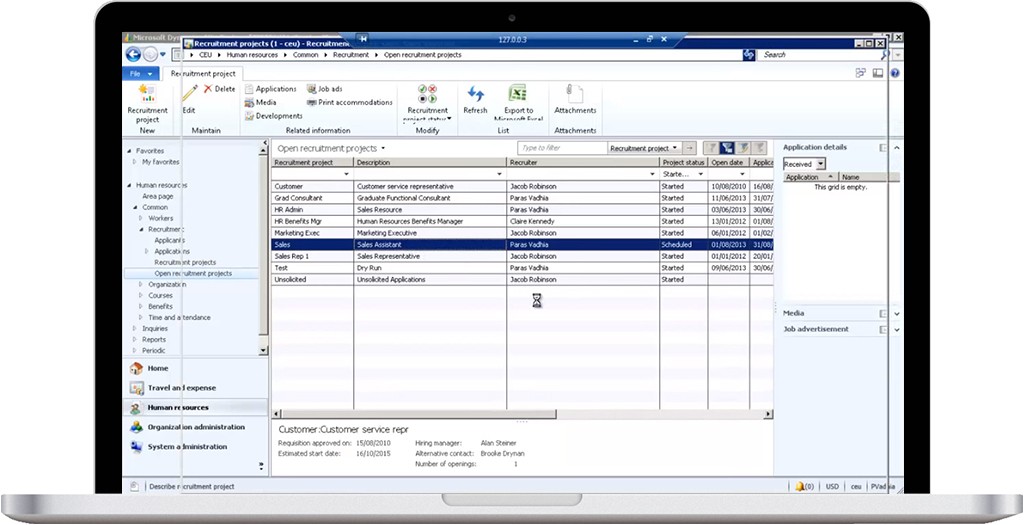
To select a current recruitment project, double on the desired record. We have selected sales recruitment project.

create-a-job-ad-for-recruitment-peoject-ScreenShot-3


Step 4

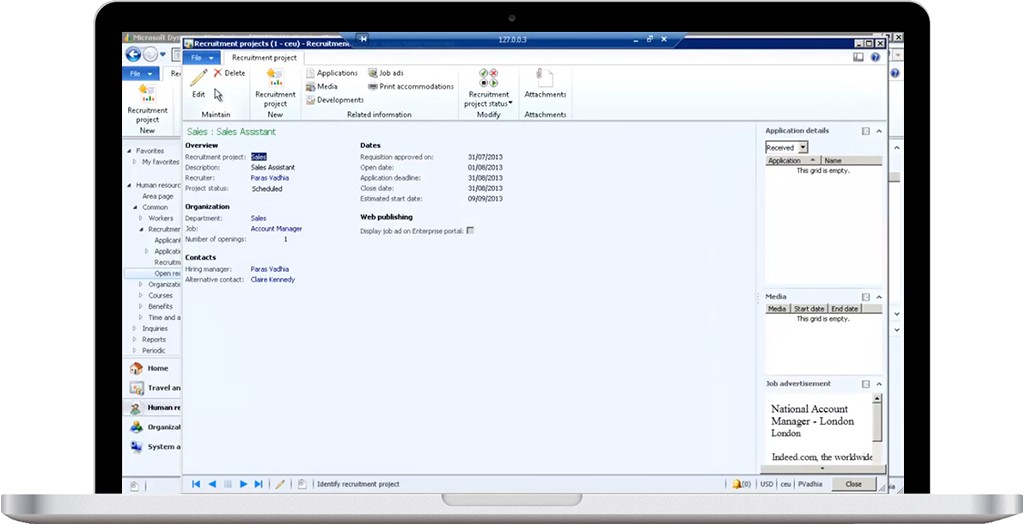
The detailed form will be opened.

create-a-job-ad-for-recruitment-peoject-ScreenShot-4

Step 5

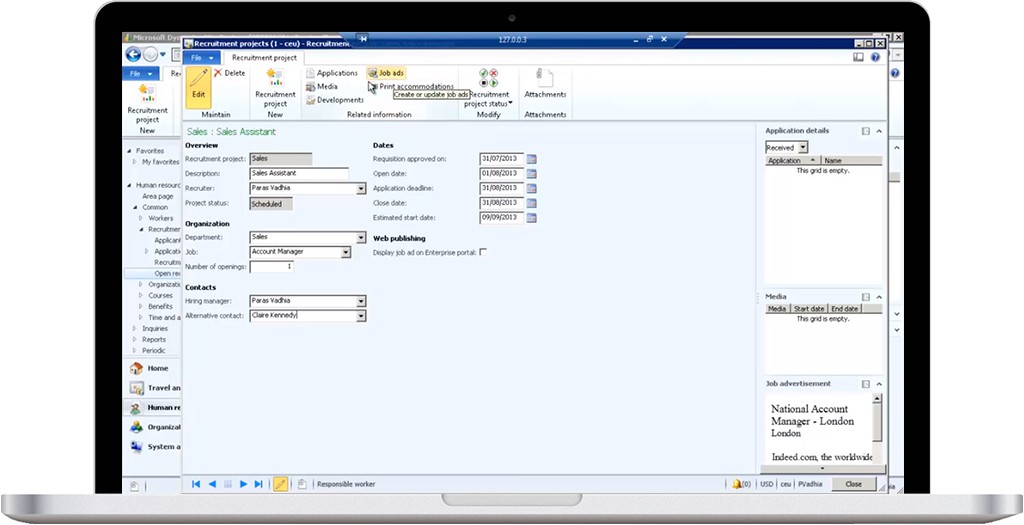
Click the job ad button on top left.

create-a-job-ad-for-recruitment-peoject-ScreenShot-5

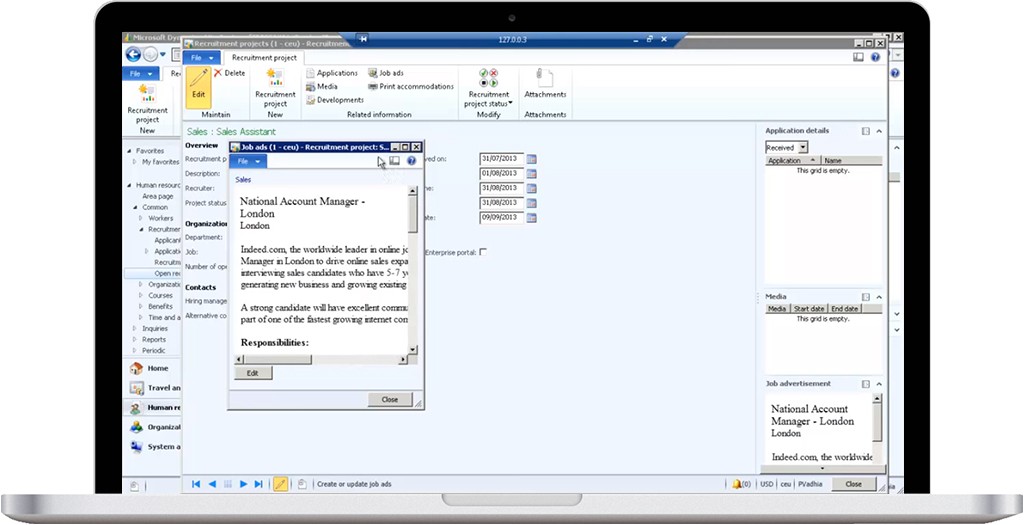
create-a-job-ad-for-recruitment-peoject-ScreenShot-6

You can edit the job ad by clicking on the Edit button on the job edit form and then close it.

]]>
https://sagacious.systems/how-to-create-a-job-ad-for-a-recruitment-project-follow-the-steps/feed/ 0
How to add a new application in Microsoft Ax, follow the steps https://sagacious.systems/to-add-a-new-application-in-microsoft-ax-follow-the-steps/ https://sagacious.systems/to-add-a-new-application-in-microsoft-ax-follow-the-steps/#respond Fri, 12 Feb 2016 08:09:40 +0000 http://knowledgeengineers.ca/?p=4471 Step 1

Open an Ax client. Select Human Resources module. Click on Applications and again Application from the sub-menu.

add-a-new-application-ScreenShot-1

Step 2

Click on the New Application button.

add-a-new-application-ScreenShot-2

Step 3

Fill in the required information in the form.

add-a-new-application-ScreenShot-3

Step 4

Confirm the application by clicking on the Application status in the action bar.

add-a-new-application-ScreenShot-4

add-a-new-application-ScreenShot-5

Step 5

Click Ok and close the form.

add-a-new-application-ScreenShot-6

]]>
https://sagacious.systems/to-add-a-new-application-in-microsoft-ax-follow-the-steps/feed/ 0
How to add a new applicant in Microsoft Dynamics AX, follow the steps https://sagacious.systems/to-add-a-new-applicant-follow-the-steps/ https://sagacious.systems/to-add-a-new-applicant-follow-the-steps/#respond Fri, 12 Feb 2016 07:51:58 +0000 http://knowledgeengineers.ca/?p=4457 Step 1:

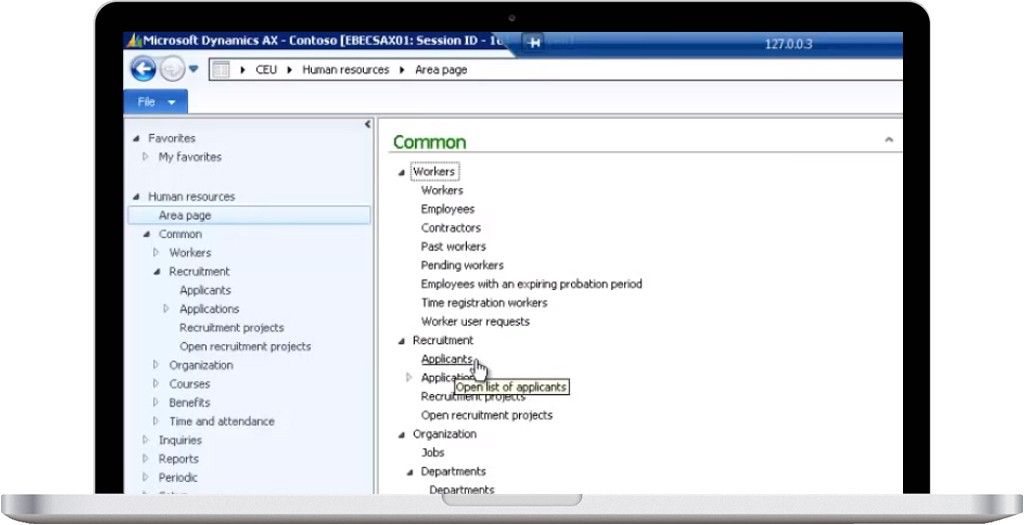
Open an Ax client. Select Human Resources module. Click on Applicants.

add-a-new-applicant-ScreenShot-1

Step 2:

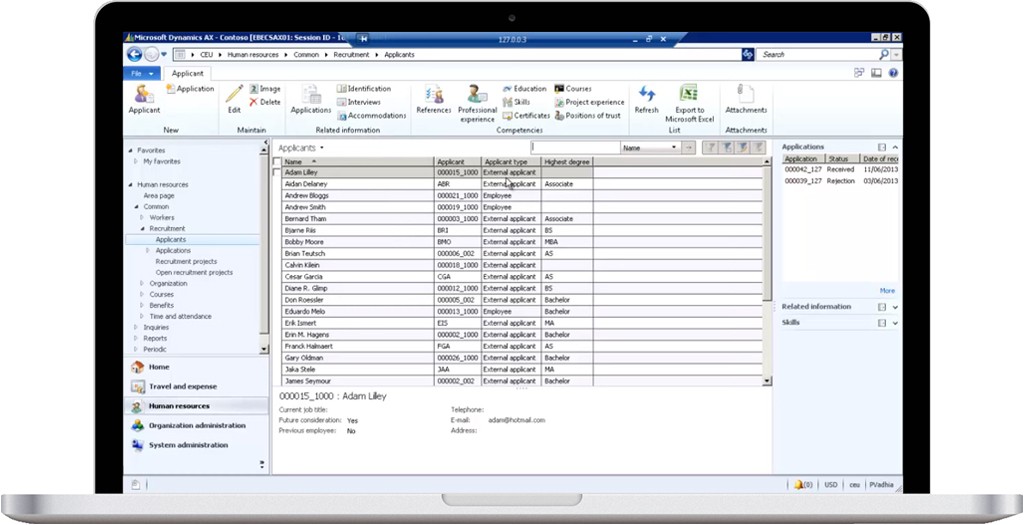
Following list page with existing applicants will open.

add-a-new-applicant-ScreenShot-2

Step 3:

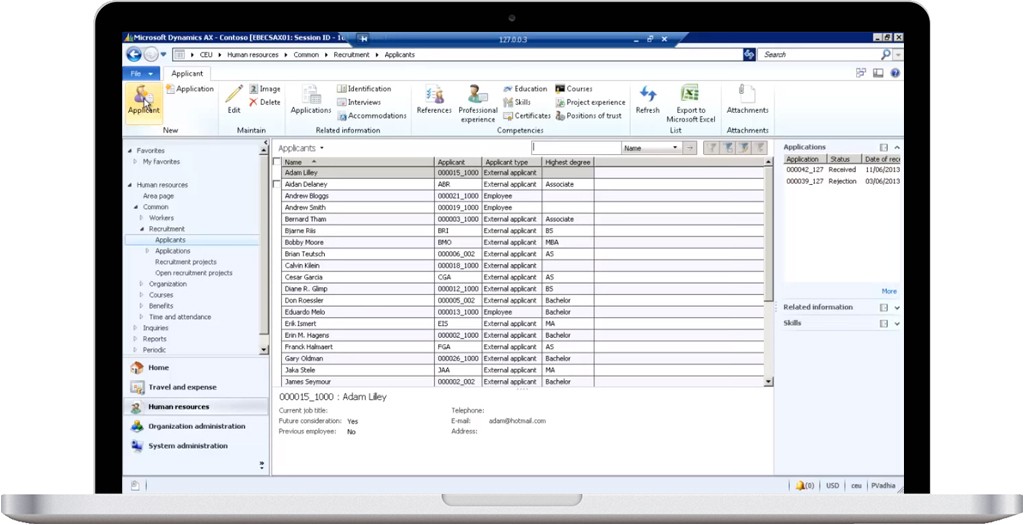
Click on New Applicant on the top left.

add-a-new-applicant-ScreenShot-3

add-a-new-applicant-ScreenShot-4

Step 4:

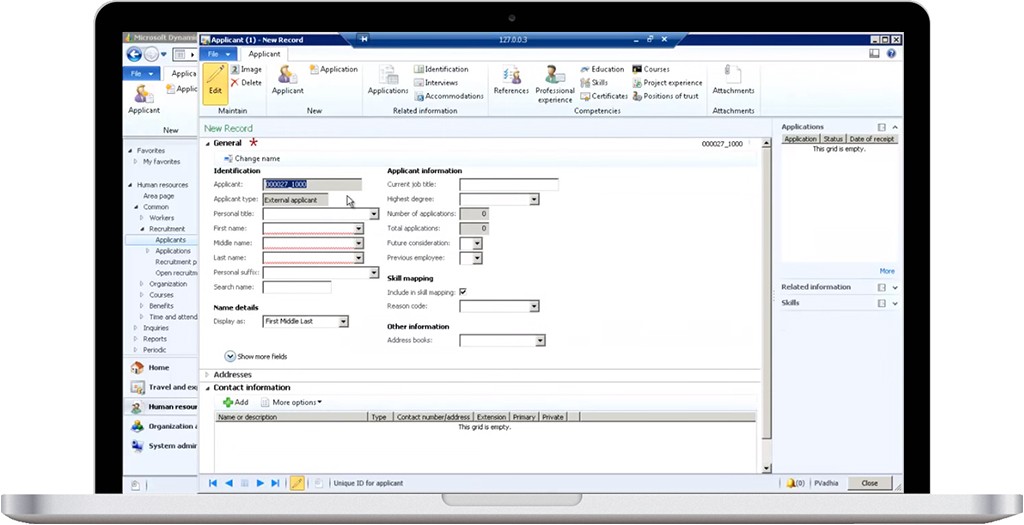
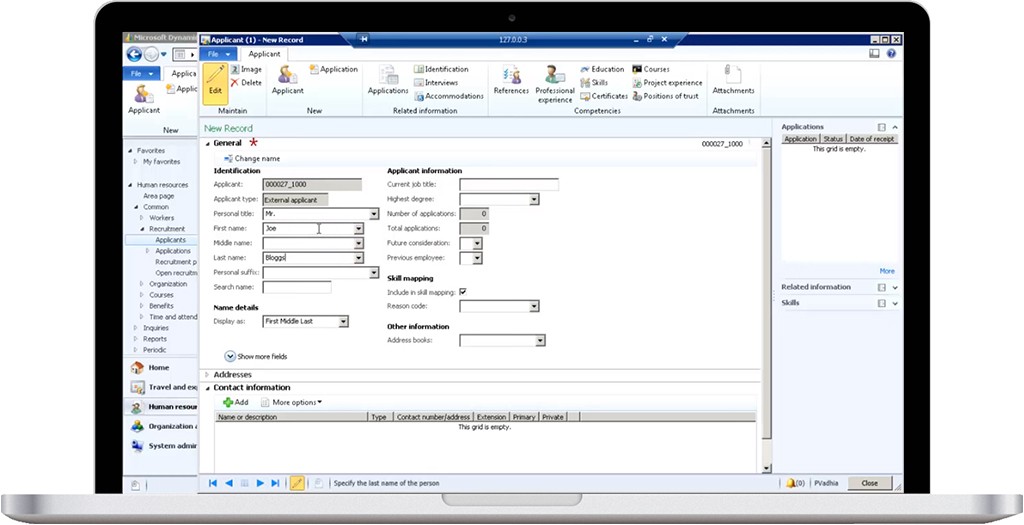
Fill in the general information in the General tab.

add-a-new-applicant-ScreenShot-5

Step 5:

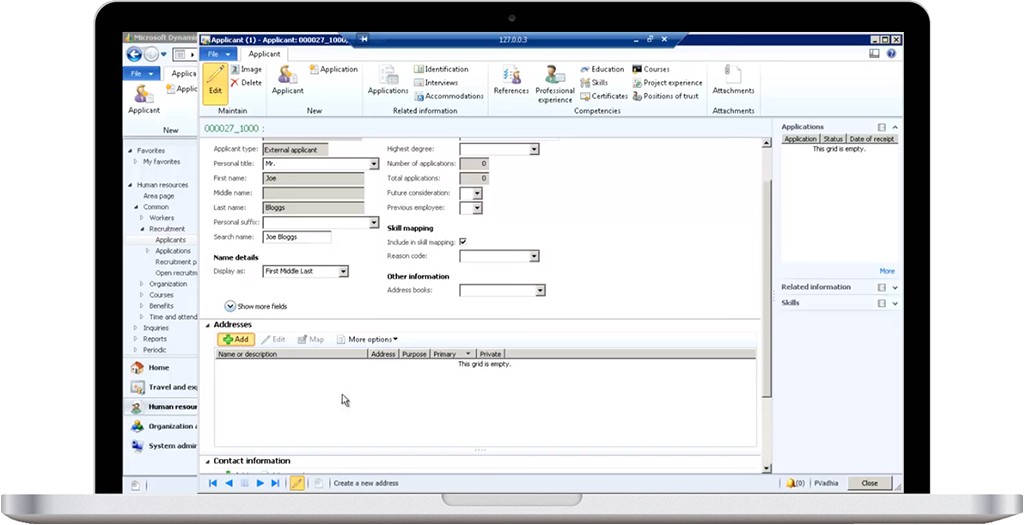
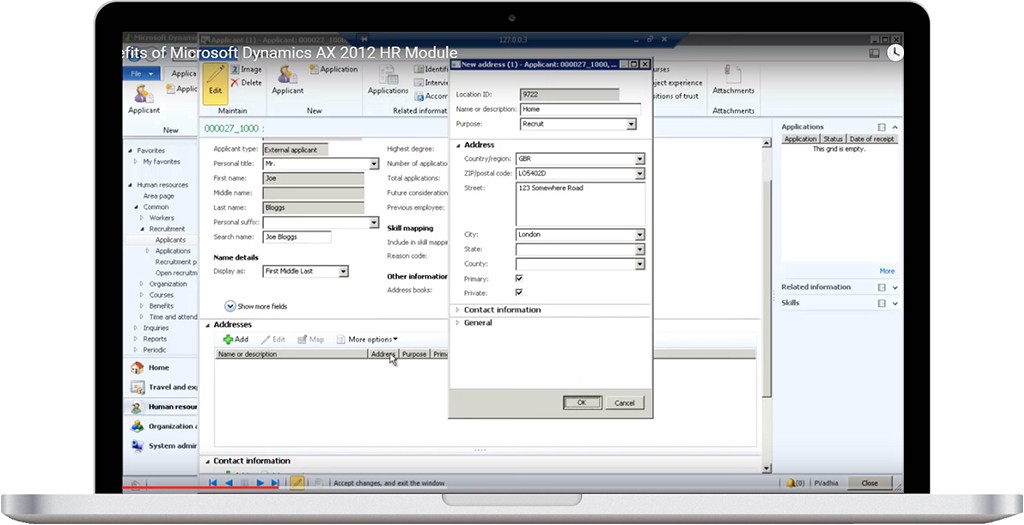
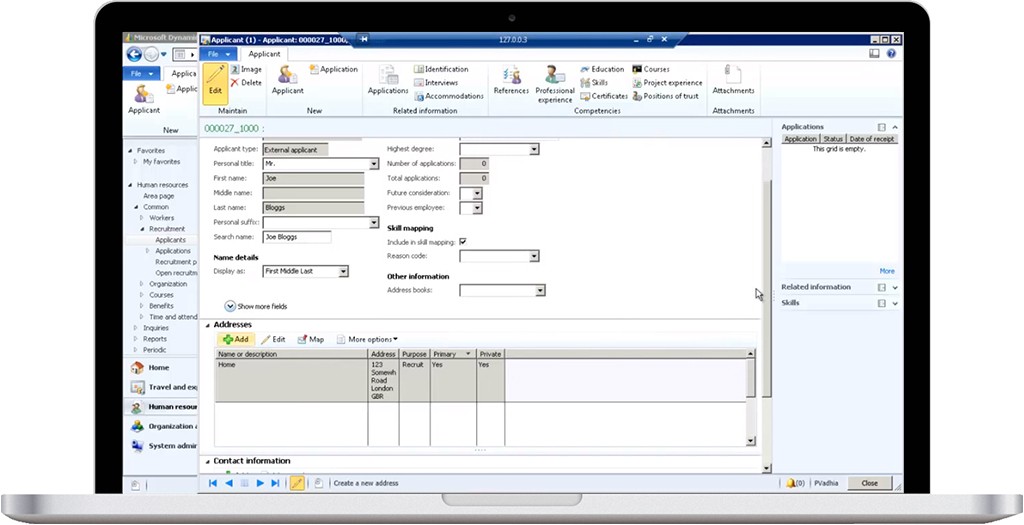
Add the address on the Address tab.

add-a-new-applicant-ScreenShot-6

add-a-new-applicant-ScreenShot-7

add-a-new-applicant-ScreenShot-8

Step 6:

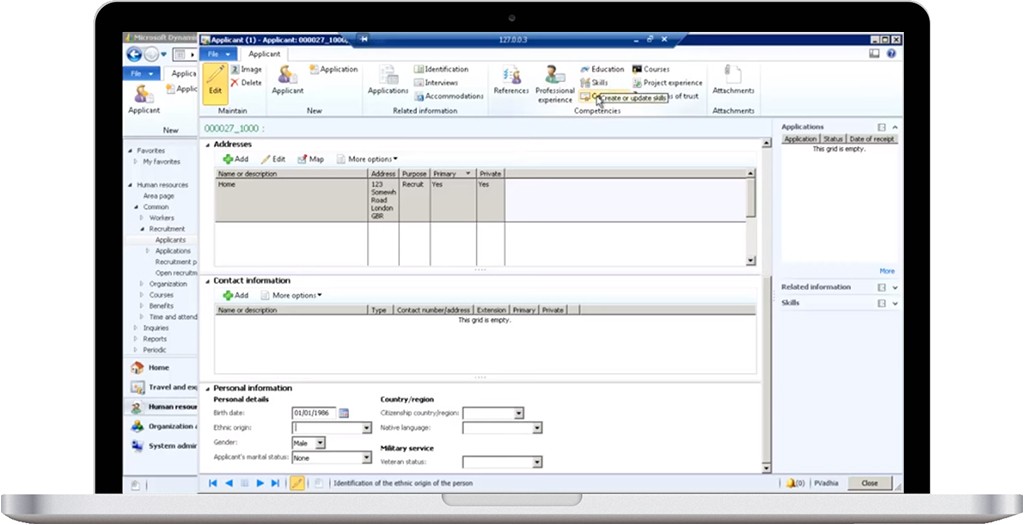
Additional personal information can also be added in the personal information tab.

add-a-new-applicant-ScreenShot-9

After entering all the applicant’s information, close the form.


]]>
https://sagacious.systems/to-add-a-new-applicant-follow-the-steps/feed/ 0
Meet Your Needs, Stay a step ahead MICROSOFT DYNAMICS AX https://sagacious.systems/meet-your-needs-stay-a-step-ahead-microsoft-dynamics-ax/ https://sagacious.systems/meet-your-needs-stay-a-step-ahead-microsoft-dynamics-ax/#respond Thu, 07 Jan 2016 08:44:40 +0000 http://knowledgeengineers.ca/?p=4449 Differentiate & empower your organization with the unprecedented ERP power of Microsoft Dynamics AX. 

Praised for its power, agility and simplicity, Microsoft Dynamics AX is the complete ERP solution for enterprises. Its purpose-built functionality supports all core areas including financial, human resources and operations management so you can empower your people and help your business thrive.

Microsoft Dynamics AX is an Enterprise Resource Planning (ERP) solution that provides enterprises with 200 to 7,500 users with robust end-to-end, industry-specific functionality. It is designed to provide the features that larger enterprises seek, such as enhanced multi-site and global capabilities (like multi-language and country/region localization-specific functionality), compliance management, service-oriented architecture, application integration framework, and integrated workflow.

In a single solution, Microsoft Dynamics AX helps enterprises meet their business requirements easily with purposely built capabilities for five industries:
  • Manufacturing (Discrete, Process & Lean)
  • Distribution
  • Retail
  • Public Sector
  • Services industries

Power with a personality

Praised for its power, agility and simplicity, Microsoft Dynamics AX is the complete ERP solution for enterprises. Its purpose-built functionality supports all core areas including financial, human resources and operations management so you can empower your people and help your business thrive.

The KE Advantage for Microsoft Dynamics AX

Implementing a comprehensive system like Microsoft Dynamics AX requires a partner with the highest level of technical skills and qualifications. But, there’s more to a successful transition than the technology. Encore understands how to help you make measurable business improvements while helping your employees through the entire process with personal attention and support.

Why partner with KE?

  • Highly trained and certified team of Microsoft Dynamics AX specialists
  • Executive sponsorship by KE leaders who care about your business
  • Exceptional project and change management experience
  • Specialized industry and business process expertise
  • Regular status meetings and project updates
  • Commitment to know your business and understand your people
  • Straightforward, honest, open communication
  • One-on-one and group training with a patient and relaxed approach

With KE, your Microsoft Dynamics AX project team is hand-selected to match your unique industry and business requirements as well as your company’s culture. You’ll work with professionals who have passed rigorous testing and have years of experience in all critical areas of your implementation including technology, project, process, risk and change management.

What can you do with Micro​soft Dynamics AX?

  • Integrate your financial, project and relationship management
  • Leverage companywide business intelligence for improved decision making
  • Create custom reports and save time with reusable templates
  • Build stronger customer relationships and deliver more efficient service
  • Manage your entire supply and service chain in one system
  • Streamline project management and project accounting
  • Improve human capital allocation and management
  • Mitigate risks and achieve global compliance
  • Learn more about Microsoft Dynamics AX
]]>
https://sagacious.systems/meet-your-needs-stay-a-step-ahead-microsoft-dynamics-ax/feed/ 0